


Step-by-Step Instructions:
Here’s a quick step-by-step guide to help you download and color your free PDF pages using the Procreate app.
-
Download Your Coloring Page
Visit the Worlds To Discover Freebies page on your iPad. Choose a coloring page, tap the Share icon, and save the PDF to your Files. -
Open in Procreate
Open Procreate, tap Import, find the downloaded PDF in your Files, and open it as a new canvas. -
Set Up Your Layers
Open the Layers panel. Keep the black outline on top and add a new layer underneath it so you can color without covering the lines. -
Start Coloring
Choose your favorite brushes and colors and bring the page to life. Try crayons, watercolor, airbrush, or whatever style feels fun. -
Share Your Artwork
Save or export your finished coloring page, then tag @worldstodiscover on Instagram or Facebook so I can see what you created.
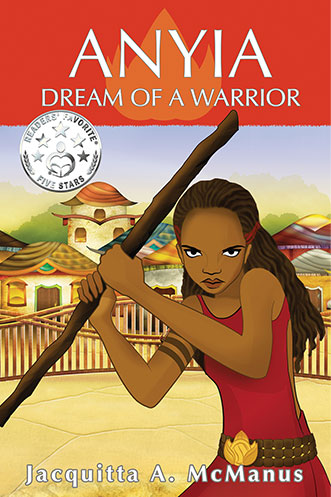
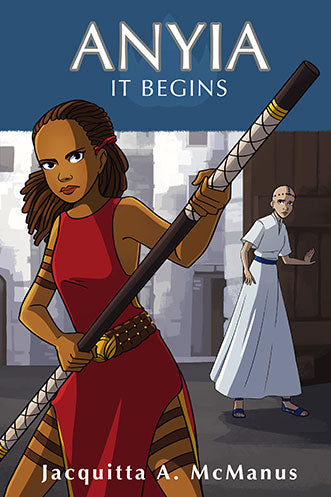
A Warrior's Journey Begins
The Anyia series follows a brave young girl who refuses to let tradition decide who she is allowed to become.
Books with Black Girl Protagonists
-
Anyia: Dream of a Warrior (Book 1) | Black Girl Fantasy Book Ages 8–12
Regular price From $8.99 USDRegular price$12.99 USDSale price From $8.99 USDSale -
Anyia: It Begins (Book 2 | Black Girl Middle Grade Fantasy Adventure
Regular price From $8.99 USDRegular price$12.99 USDSale price From $8.99 USDSale -
Baby Princess and the Lost Doll: Children's Picture Book
Regular price From $9.99 USDRegular price$15.99 USDSale price From $9.99 USDSale -
Talee and the Magic Flower: Early Reader Chapter Book
Regular price $6.99 USDRegular price$8.99 USDSale price $6.99 USDSale


